

LinkMesh – AI-Powered Internal Linking Plugin
LinkMesh automates internal linking in WordPress with semantic AI suggestions, internal PageRank, a live link graph, and orphan detection. Link smarter, rank higher.
WordPress Plugin · Free & GPL
LinkMesh
Intelligent internal linking, on autopilot. Connect your content with relevant links automatically, see exactly how link equity flows through your site, and never leave a page orphaned again.
Why it matters
Internal linking is high-impact — and almost always neglected
It’s one of the few SEO levers you fully control, yet doing it by hand never scales. As your library grows, relevant links get missed, anchor text drifts, and pages quietly become “orphans” with zero internal links pointing to them. LinkMesh automates the entire job while keeping you in full control of what gets linked, where, and how.
What it does
Everything you need to link smarter
Automatic keyword linking
Assign a keyword to a page and LinkMesh links matching phrases across your whole site — hands-off.
Semantic AI suggestions
Surfaces the most relevant pages to link to, ranked by content relevance. Works locally, or with your own AI key.
Internal PageRank
See how link equity actually flows through your site and route authority toward the pages that matter.
Architecture graph
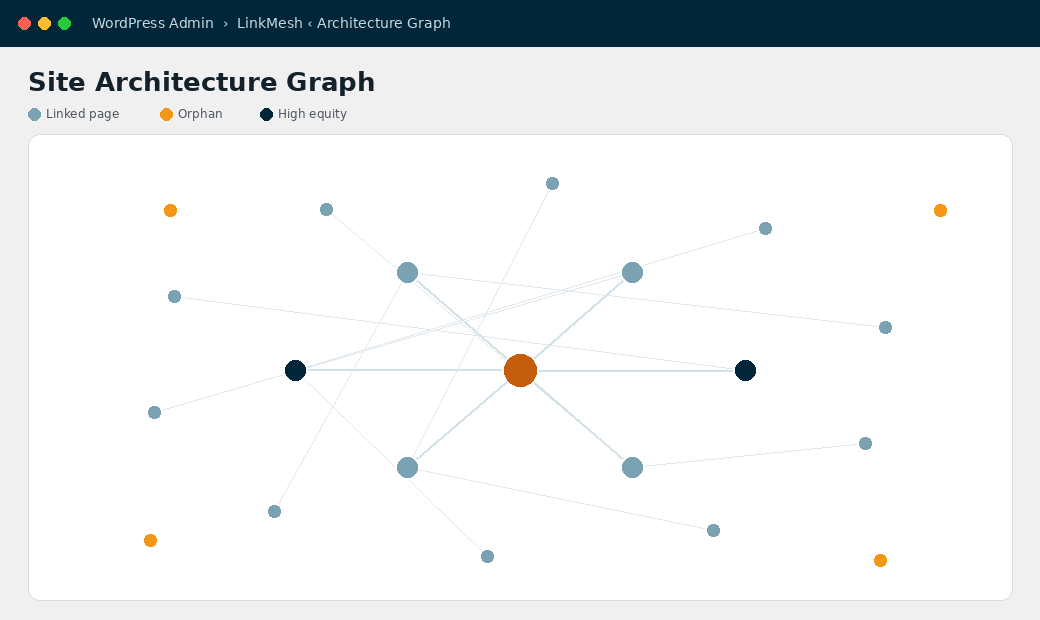
An interactive map of your internal links, with orphan pages and high-authority hubs highlighted at a glance.
Anchor-text health
Flags over-optimization and generic anchors so your linking stays natural and penalty-safe.
Orphan detection
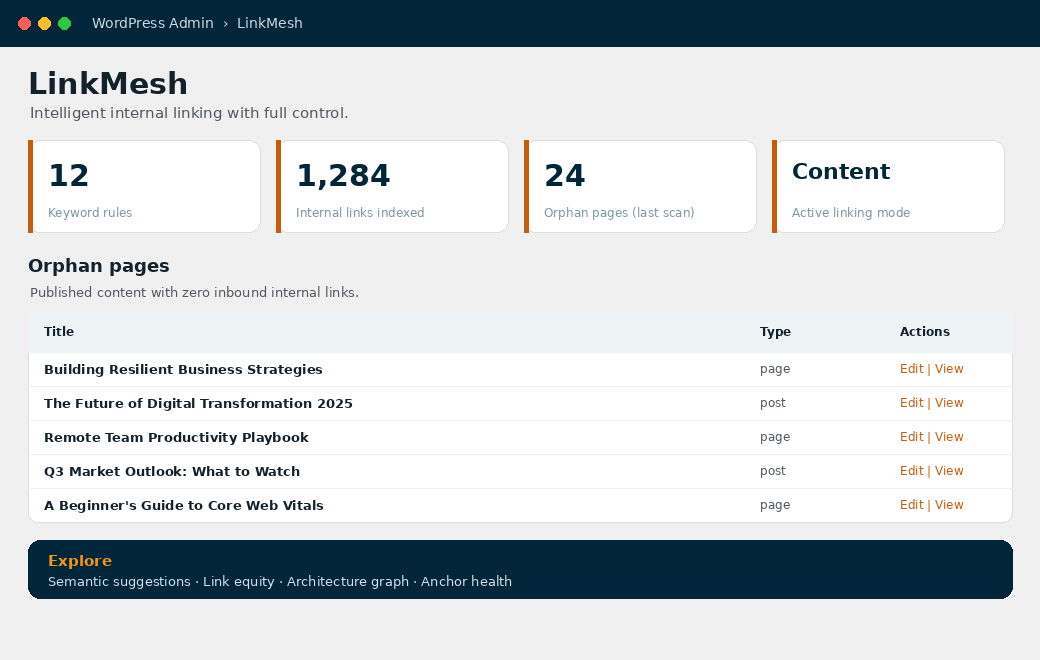
Instantly find published content with no inbound internal links — and fix it in a click.
Safe & reversible
Links are inserted cleanly into content and can be reverted in one click. Your hand-made links are never touched.
Built for scale
WP-CLI, background processing, and a precomputed link index keep it fast on large sites.
How to use it
From install to automatic links in minutes
Add your keywords
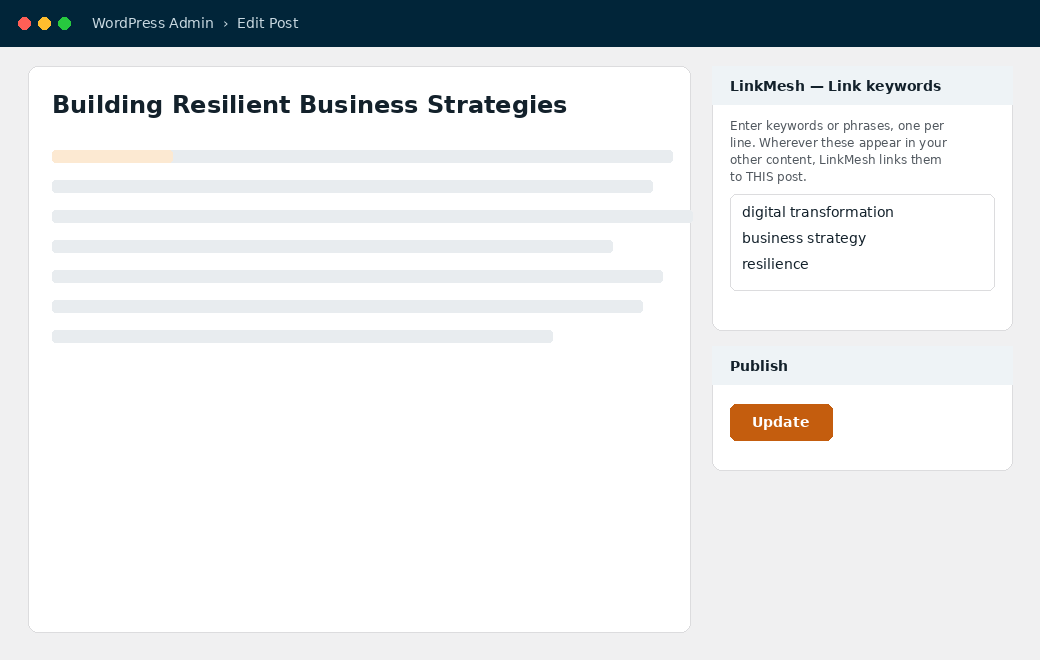
Open any page you want links to point to and type your keywords into the “LinkMesh — Link keywords” box in the editor sidebar. Anywhere those phrases appear in your other content, they’ll link here.
Pick a mode & turn on auto-apply
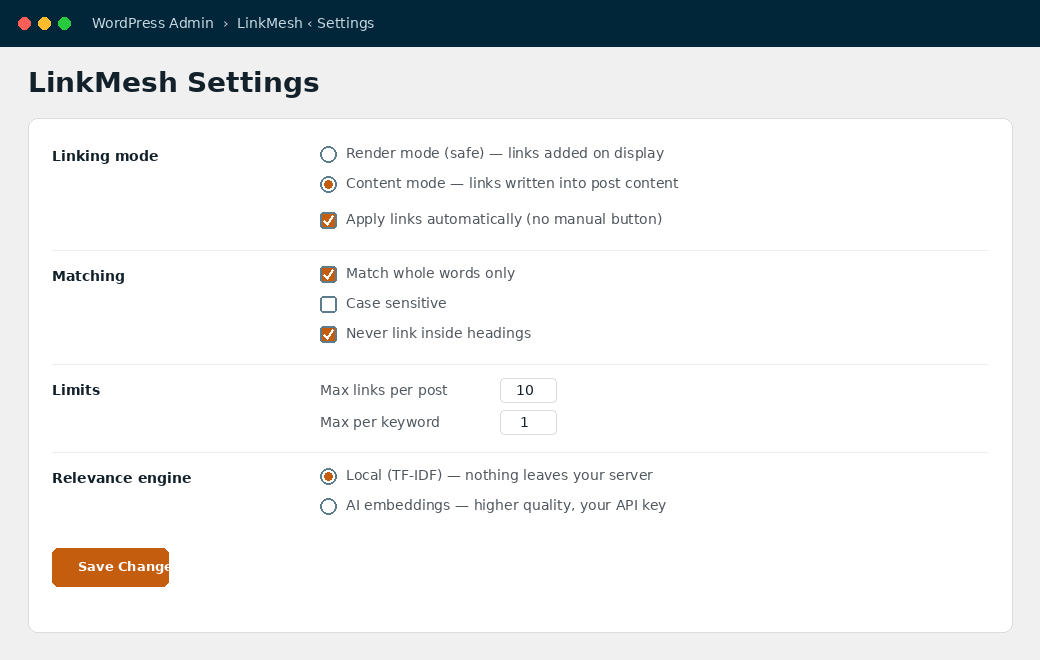
Choose Render mode (links appear live, content untouched) or Content mode (links written into your posts). With “Apply automatically” on, links update every time you save a post or change a keyword — no manual steps.
Get semantic suggestions
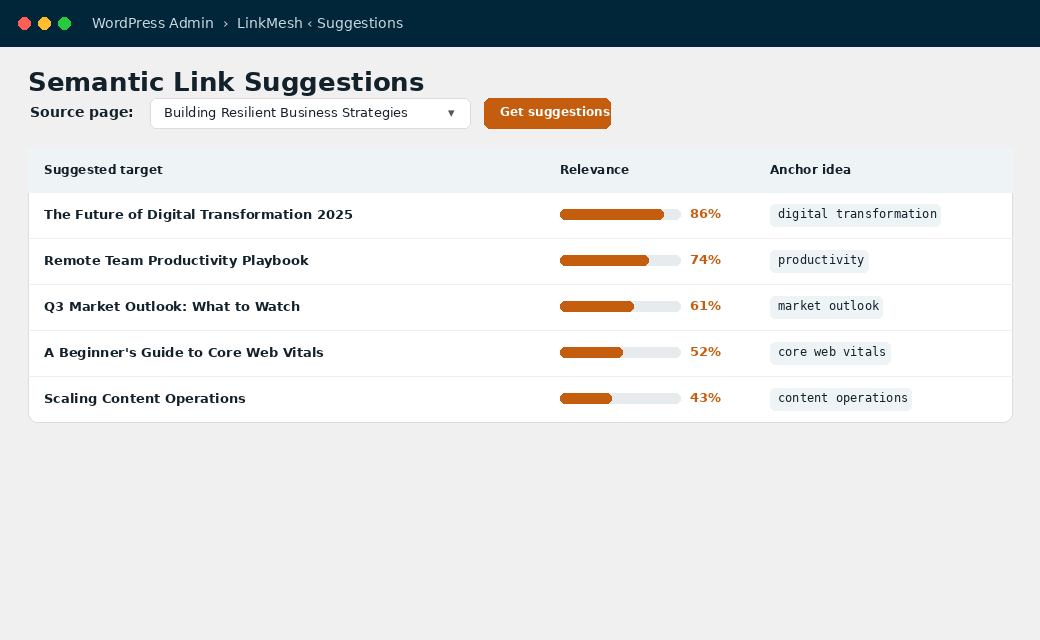
Pick any page and LinkMesh ranks the most relevant pages to link to, with a relevance score and an anchor idea for each — straight from your content, no guesswork.
See where your authority flows
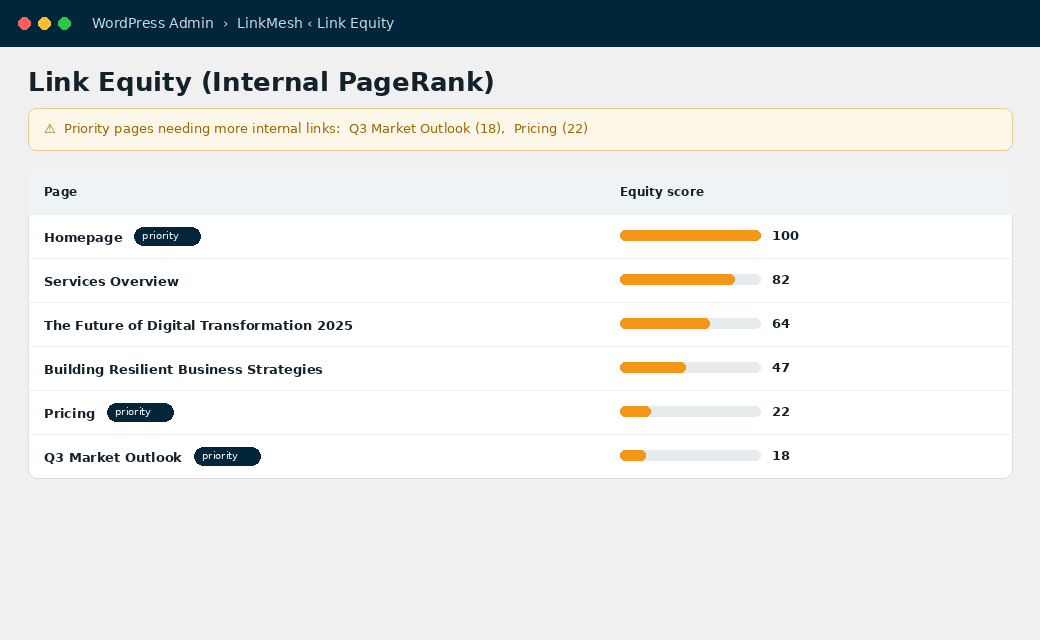
The Link Equity view computes an internal PageRank across your link graph, so you can route authority toward priority pages and get alerted when important pages are under-linked.
Explore your site’s structure
The interactive architecture graph maps every internal link. Hubs grow larger, orphans light up — drag nodes around to understand how your site really connects.
Fix orphans & keep anchors healthy
The dashboard surfaces orphan pages and a full link report, while Anchor Health flags over-optimized or low-value anchor text before it becomes a problem.
In control
Automation that respects your editorial judgment
Render mode
Links are added on display — your stored content is never modified. Toggle off and they vanish instantly.
Content mode
Real links written into your posts, visible to every tool and export — with one-click full revert.
Your rules
Whole-word matching, link limits, excluded pages, nofollow, custom post types — tune everything.
Good to know
Frequently asked
Will it change or break my content?
No. In Render mode your content is never touched. In Content mode links are inserted safely and can be fully reverted in one click — and your existing hand-made links are always preserved.
Do I have to click “apply” every time?
No. With automatic apply enabled, links update whenever you save a post or change a keyword. Render mode is live by default and needs no apply step at all.
Does it send my content anywhere?
Only if you opt into the AI suggestions engine and add your own API key. The default relevance engine runs entirely on your server.
Is it really free?
Yes — LinkMesh is free and GPL-licensed, with every feature included in a single plugin.
Give your content the links it deserves
Install LinkMesh and turn internal linking from a chore into something that runs itself.
Get LinkMesh free| Category | plugins |
| Version | v1.0.0 |
| Downloads | 0 |
| Added | May 30, 2026 |
| Last Updated | May 30, 2026 |
| Tags | internal link building, linking, link building, backlinks, backlink, seo |
| Live Preview | Open Preview ↗ |
